


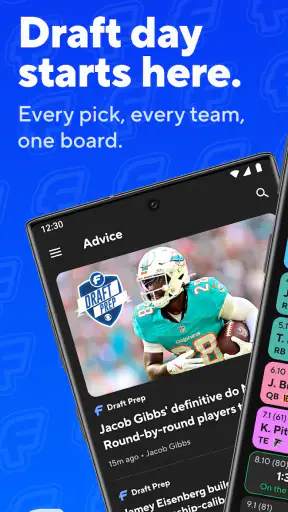
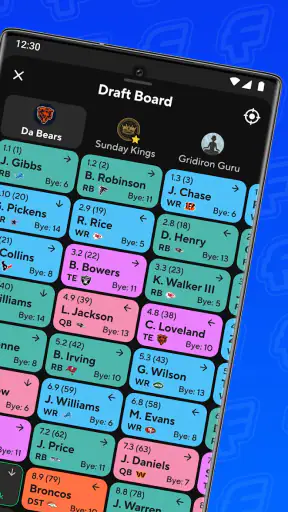
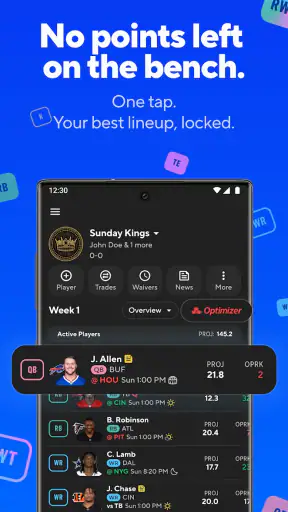
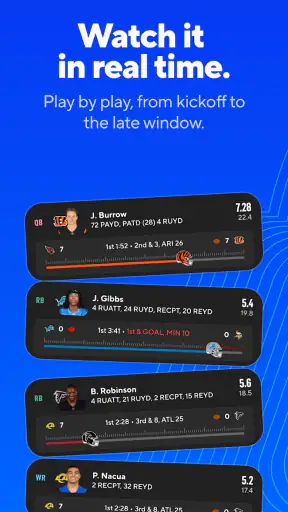
I opened CBS Sports Fantasy with a simple goal: turn the scattered work of following a fantasy league into something I could manage from my phone. That means checking the league, reviewing player information, making lineup decisions, and keeping an eye on the result without needing to sit at a computer. As a free sports app from CBS Interactive, Inc., it is aimed at people who want fantasy management connected to the CBS Sports experience rather than a separate tool that only handles one small part of the routine.
My first impression was practical rather than flashy. This is not an app I would install just to browse sports headlines. Its value appears when I already have a fantasy team to manage and need a reliable place to return to during a busy day. The store carries an average rating of 3.2 from about 51 thousand ratings, so the overall reception is mixed. That feels believable: the app can be useful when the league workflow behaves as expected, but fantasy users are especially sensitive to delays, awkward navigation, or anything that gets in the way of a last-minute decision.
From a fantasy question to a completed lineup decision
Starting with the situation that actually matters
The best way to judge this app is to imagine a normal fantasy day. I am away from my desk, a game is approaching, and I need to know whether my current lineup still makes sense. I may be checking a player’s status, comparing available options, looking at the league situation, or simply confirming that my earlier move was saved. A fantasy app is useful only if it shortens that chain from uncertainty to action.
That is where the app’s sports focus helps. It is built around the fantasy task instead of treating fantasy as an afterthought inside a general news application. I can approach it with a specific question: what needs attention on my team right now? That mindset is more productive than opening a broad sports feed and trying to reconstruct my fantasy priorities from headlines.
I also like that the app is free and rated for Everyone. That makes it easy to recommend to a family member or a casual league participant who does not want to pay before understanding whether the CBS Sports fantasy setup suits them. The low barrier is important for group leagues, where one reluctant participant can make the entire experience harder for everyone else.
Moving through the first checks
Once I am inside the fantasy area, I treat the app as a decision dashboard. I start by checking the team context rather than immediately changing a player. That small habit matters. A rushed tap can solve the wrong problem if I have not first confirmed which roster, matchup, or league view I am looking at.
My preferred sequence is simple:
Open the fantasy section and confirm that I am working with the intended team.
Review the current lineup before making any adjustment.
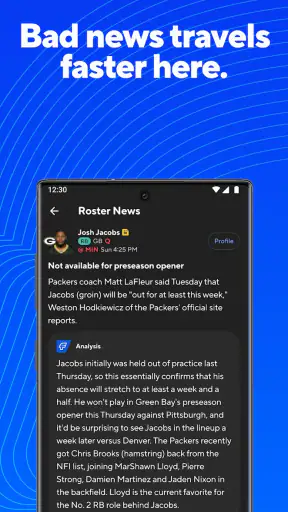
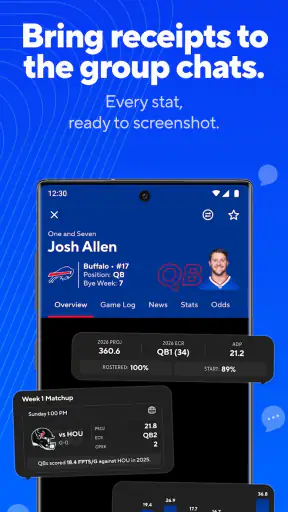
Use the available player and league information to decide whether a change is justified.
Make the move deliberately, then check that the resulting lineup reflects it.
Return later to review the outcome instead of assuming that one decision settles the week.
The important detail is the final verification. On a phone, it is easy to tap through a change while distracted, then close the app before confirming the result. I would not rely on a notification or memory alone. After every meaningful lineup action, I take a moment to look at the team again. That is one of the most useful habits for avoiding an avoidable fantasy mistake.
For a new user, the main learning curve is not the idea of fantasy sports itself. It is learning where each piece of information sits and how the app expects me to move between team management and league awareness. I would spend a few minutes exploring before a deadline rather than waiting until the final moments of a matchup. That preparation makes the app feel much calmer.
Turning information into a choice
The app’s real test comes when information needs to become an action. Reading a player update is easy; deciding whether it should change my lineup is harder. I try to separate those two steps. First I collect the relevant context, then I ask whether the change improves my position enough to justify the risk of overreacting.
This is particularly useful for casual managers. A fantasy app can tempt people into constant tinkering, especially when every piece of sports news feels urgent. My advice is to use CBS Sports Fantasy as a place to organize decisions, not as a reason to make more decisions than necessary. The strongest workflow is often a short review followed by a clear choice, not repeated refreshing and second-guessing.
For experienced managers, the benefit is speed. A phone-based workflow lets me handle a small task during a commute break, between errands, or while watching a game. The trade-off is that a mobile screen encourages quick glances, while serious analysis may still be more comfortable on a larger display. I see the app as a strong companion for active management, not necessarily a complete replacement for every desktop habit.
Handling the handoff between team and league
Fantasy management is rarely a private activity. My decision affects a matchup, a standings position, and sometimes a conversation with other people in the league. That means the app has to support a handoff from personal roster work to shared competition. I want to know not only what I changed, but also how that change fits the broader league situation.
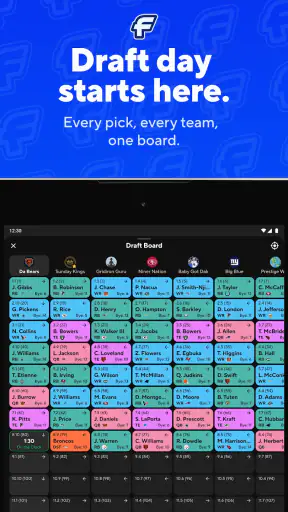
This is where I would avoid treating the roster screen as the whole product. After checking my own team, I move to the league perspective and consider the opponent, available alternatives, and the current competitive pressure. A safe lineup decision may be sensible when protecting a lead, while a more aggressive choice may be necessary when I am chasing. The app is most useful when it helps me keep those two perspectives connected.
There is also a social handoff. If friends ask why I made a move, I want to be able to explain it from the information I reviewed rather than from a vague memory of seeing a headline. That makes the app useful during league discussions, even when the final decision remains entirely my own. It gives the conversation a clearer starting point: the team status, the available choice, and the expected effect on the matchup.
My practical tip is to complete important roster work before opening a group chat or getting pulled into live commentary. Social noise can make a straightforward decision feel more complicated. I first settle the lineup in the app, verify it, and only then discuss the move. That order reduces the chance of making a change simply because someone else sounded confident.
Following the result instead of stopping at the tap
A successful fantasy workflow does not end when a button is pressed. I want to know whether the lineup remains appropriate as the sports day develops. That means returning to the app with a specific purpose: checking the current team state, reviewing how the matchup is progressing, or preparing for the next decision.
This repeat use is where a dedicated fantasy application earns its place on my phone. A general sports app may be better for broad news discovery, while a league website may offer a more spacious layout for deep review. CBS Sports Fantasy sits between those options as a focused mobile workspace. It is convenient when I need to act quickly, but I still prefer a larger screen when I am comparing many possibilities at once.
I would also set a personal stopping point. Constantly checking a fantasy score can turn a hobby into a distraction, and the app cannot solve that by itself. I use it for scheduled reviews and meaningful decisions, then close it. That approach preserves the useful part of fantasy management without letting the app dominate the day.
For someone joining a league for the first time, the outcome is likely to be less about advanced strategy and more about confidence. The app can make the routine feel manageable: open the team, inspect the situation, make a considered move, and confirm the result. That is a better starting point than trying to understand every possible fantasy angle at once.
A realistic everyday workflow
Imagine I am leaving work shortly before an important game. I receive a message from a friend asking whether I have checked my lineup. Instead of opening several unrelated sports pages, I launch the app and go straight to the fantasy team. I review the current setup, inspect the relevant player situation, and compare the available alternatives. If the evidence supports a move, I make it and then reopen the lineup view to confirm that the change is visible.
Next, I check the league context. If I am protecting a comfortable position, I may prefer the dependable choice. If I am behind, I may accept more uncertainty. I then tell my friend what I decided, close the app, and return later when there is a genuine reason to review the team. That entire process shows the app’s strongest role: it connects information, action, verification, and competition in one mobile routine.
The handoff can fail if I skip the confirmation step, choose the wrong team view, or let a rushed conversation replace my own review. None of those problems are unique to fantasy sports, but mobile interfaces make them easier to overlook. My solution is procedural rather than complicated: identify the team, inspect before editing, act once, verify, and move on.
Where the flow becomes less comfortable
The mixed rating is a useful reminder that convenience does not guarantee a smooth experience for everyone. Fantasy managers often judge an app at the worst possible moment: just before a lineup deadline, during a live game, or when a decision carries unusual pressure. Any hesitation in navigation feels larger then than it would during a relaxed afternoon setup.
I also see a clear limitation in the mobile format. A phone is excellent for checking a team and completing a focused action, but less comfortable for broad comparison. If I want to study several players, weigh many scenarios, or spend a long session reviewing a league, I would rather use a larger interface when one is available. The app is strongest as an active companion and weaker as the only place for every kind of fantasy research.
Another trade-off is attention. Because the app is tied to sports competition, it can encourage repeated checking. That may suit highly engaged managers, but it is not ideal for someone who wants fantasy to remain a low-maintenance hobby. If I know I will resent reminders to revisit the team, or if I prefer to set a lineup once and forget it, a simpler fantasy experience may be a better match.
I would also skip it if my league does not use the CBS Sports fantasy environment and I have no reason to manage a team there. Installing a sports app without a real league or roster task creates little value. Likewise, users looking primarily for general sports news, video, or broad score coverage should choose a tool designed around those needs rather than expecting a fantasy manager to serve as an all-purpose sports hub.
Who gets the most from it
The app is a good fit for managers who want to handle fantasy decisions from an iPhone or iPad without being tied to a desktop. It suits people who check their team several times during a sports week, participate in an active league, and value a direct path from roster information to lineup action.
It is also approachable for casual players who need a clear routine. I would recommend it to a friend who says fantasy sports feel confusing but still wants to participate with coworkers or family. The key is to start with the basic workflow rather than trying to master every strategy immediately. Confirm the team, review the lineup, make only justified changes, and learn the league view gradually.
More demanding users should consider the trade-off before committing. If their priority is deep analysis, extensive comparison, or a desktop-first experience, another option may feel more comfortable. CBS Sports Fantasy can still handle the mobile portion of that routine, but I would not choose it solely because I expect a phone screen to replace every research tool.
Compatibility, cost, and the practical verdict
The current version is 5.3.0, with a minimum operating-system requirement of 10. That makes checking device compatibility part of the installation decision, especially if I am using an older phone or tablet. The app is free, which removes the financial risk of trying it, but the more important question is whether my league and preferred fantasy workflow fit the CBS Sports environment.
It has been available since Jul 10, 2013, and its reach is substantial, with over one million installs. That longevity and audience size make it feel like an established choice rather than a brand-new experiment. Still, popularity does not erase the need to test the everyday details on my own device. I would install it before the first important matchup, explore the team and league areas, and make sure the basic handoff from review to lineup confirmation feels comfortable.
My final view is positive but measured. CBS Sports Fantasy gives me a focused way to move from “I should check my team” to “I know what I changed and why.” Its best qualities appear in that complete workflow: starting with a real fantasy question, reviewing the roster, connecting the decision to the league, confirming the result, and returning only when another decision matters. The most valuable habit is not faster tapping; it is verifying every meaningful move before walking away.
I would recommend it to active CBS fantasy participants, mobile-first managers, and newcomers who want a free place to organize their team. I would be more cautious with people seeking a full research workstation, a general sports-news app, or a completely hands-off fantasy experience. For me, the app succeeds when it stays focused on the job at hand. It does not remove the judgment fantasy sports require, but it can make the path from information to action much easier to follow.
That balance is why I see it as a useful companion rather than an automatic choice for every sports fan. If I have a team to manage and want to stay involved while away from a computer, it earns a place in my routine. If I only want scores or occasional headlines, I would look elsewhere. For the right user, though, CBS Sports Fantasy turns a scattered set of fantasy chores into a repeatable mobile workflow with a clear outcome.


